
Time Prediction
The AI Co-pilot provides machining time estimates for any part, independently of an ongoing RFQ. Simply upload a 3D file and enter a few details.
TIP
Time prediction is also accessible directly from a part's manufacturing routing in an RFQ via the AI Prediction button.
Launch an analysis
From the AI Co-pilot page, click the Analyze a New Part button.
Step 1 — Upload the 3D model
Drag and drop your STEP file (.step, .stp) into the upload area on the left.
Step 2 — Part information
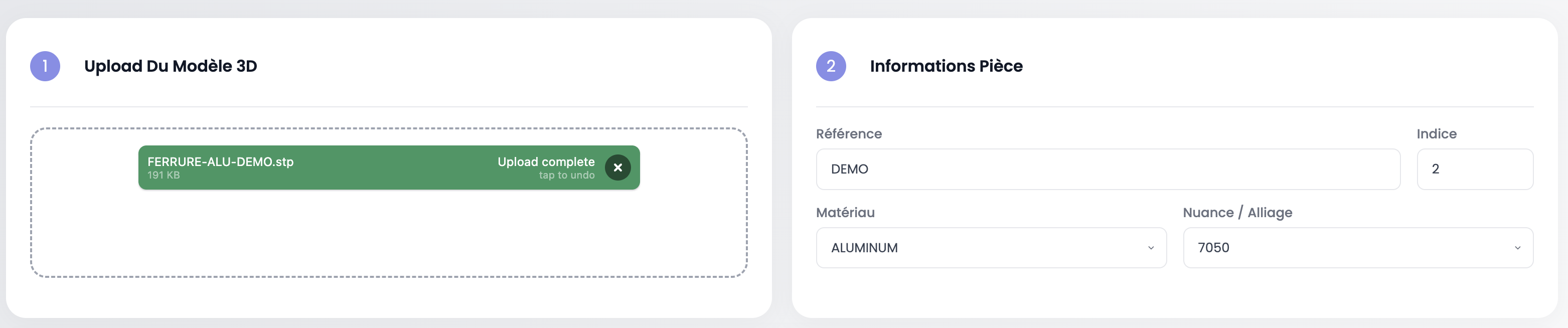
Fill in the part details on the right:
| Field | Description |
|---|---|
| Reference | Part number |
| Index | Revision index |
| Material | Material family (Aluminum, Titanium, Steel, etc.) |
| Grade / Alloy | Specific grade (e.g. 7050, Ti-6Al-4V) |
Step 3 — Launch the prediction
Click Launch prediction. The system analyzes the 3D geometry, calculates features (volume, dimensions, faces, holes) and queries prediction models trained on your production history.
Prediction result
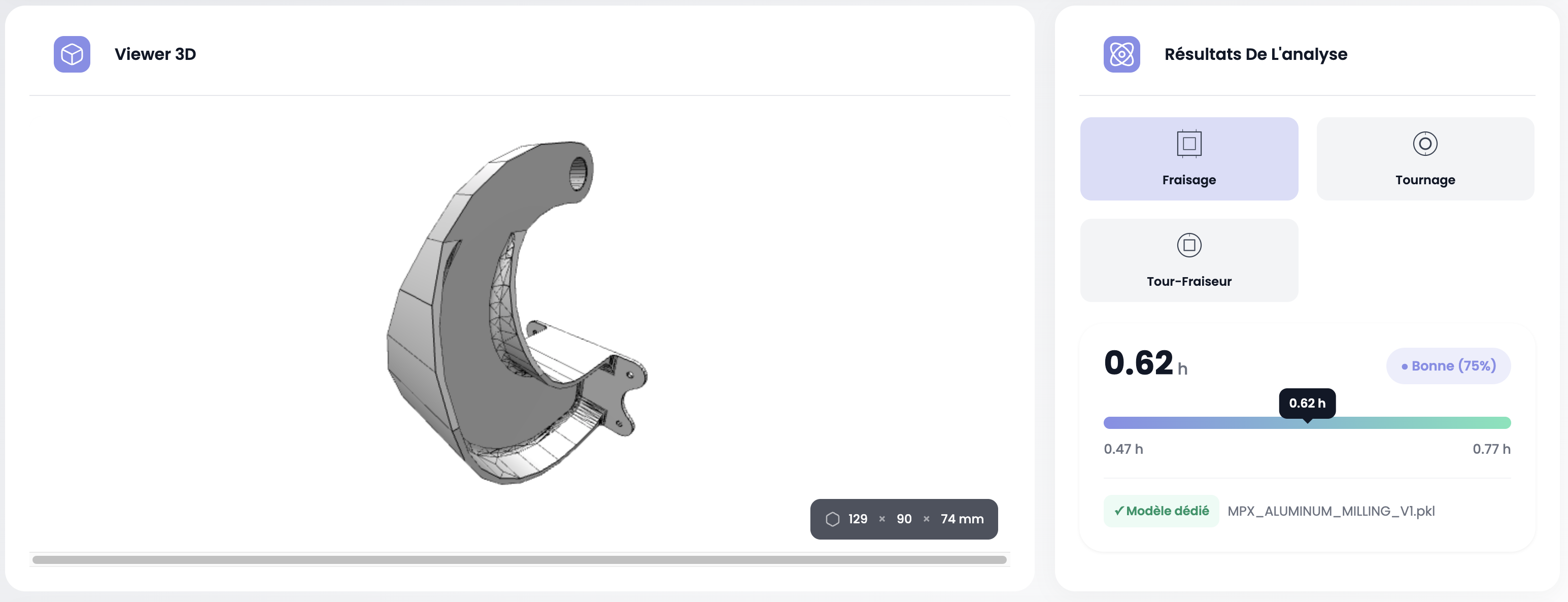
The result is displayed in two areas:
3D Viewer
On the left, the 3D viewer displays the part model with OBB dimensions (Oriented Bounding Box) at the bottom of the view (e.g. 129 × 90 × 74 mm).
Analysis results
On the right, the panel displays:
- Part typology: the system automatically identifies the machining type — Milling, Turning or Mill-Turn. The detected type is highlighted.
- Target time: the predicted value (e.g. 0.62 h)
- Confidence index: prediction reliability (e.g. Good 75%)
- Range: confidence interval represented by a progress bar (e.g. 0.47 h — 0.77 h)
- Model used: reference of the dedicated model that produced the prediction
Compare with history
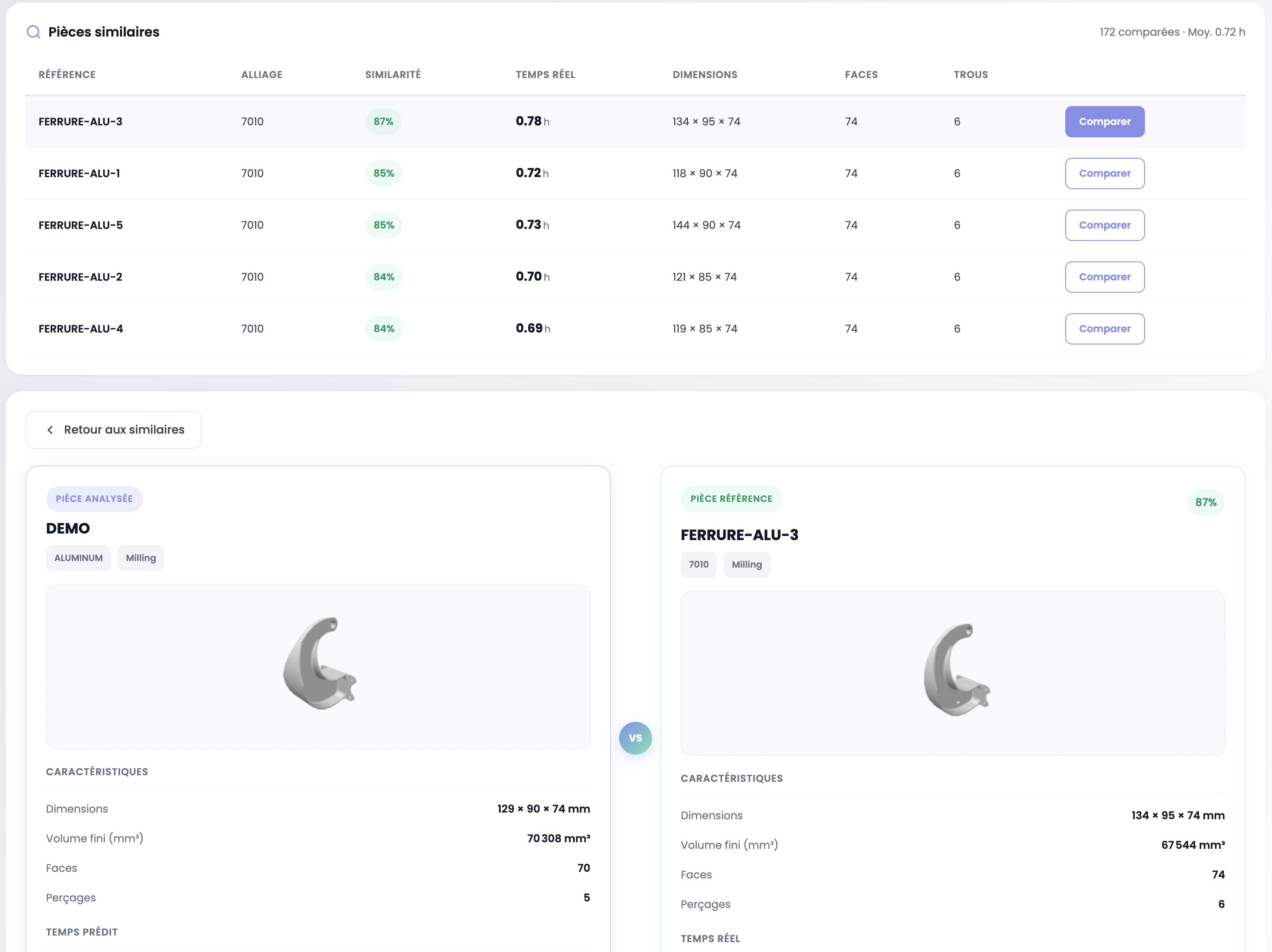
Below the prediction, the Similar Parts table lists the parts from your production history that are closest in terms of geometry and material. Each row shows the reference, alloy, similarity index (%), actual recorded time, dimensions, number of faces and holes.
Click the Compare button to open a side-by-side view between your analyzed part and the reference part. The comparison displays for each part:
- 3D visualization of the model
- Characteristics: dimensions, finished volume, faces, holes
- Time: predicted time (analyzed part) vs actual time (reference part)
Click Back to similar to return to the table.
Export the report
You can export a detailed prediction report as a PDF, including the analysis results, part characteristics and similar parts.
Save the prediction
Click Save prediction to record the result in the system. This enables shop floor feedback: comparing the predicted time with the actual production time. Each feedback entry feeds the feedback loop and improves the accuracy of future predictions.