
Program Management
Programs define how quantities are managed for each request for quotation. When creating an RFQ, each part is associated with a program that determines the quantity structure and revenue projection.
WARNING
This page is restricted to administrators.
The two types of programs
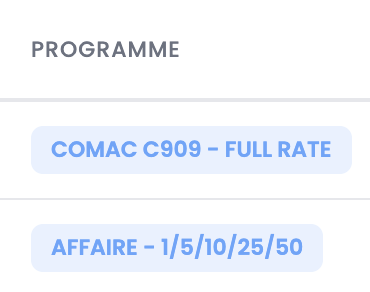
Recurring program
Example: COMAC C909 — FULL RATE
A recurring program corresponds to a delivery contract planned over multiple years. The user defines a quantity of aircraft (or elements to deliver) per year over a given period (maximum 5 years).
This type of program enables:
- An annual revenue projection over the contract duration
- A workload projection on production resources
- Calculation of a single unit price based on the total contract volume
Non-recurring program
Example: AFFAIRE — 1/5/10/25/50
A non-recurring program corresponds to a one-off deal. The user defines quantity tiers (e.g. 1, 5, 10, 25, 50). The commercial offer presents a unit price for each tier.
This type of program:
- The unit price decreases with volume thanks to fixed cost amortization
- The customer and user will decide later on the selected quantity for the order
Quantity selection for a non-recurring program
For parts associated with a non-recurring program, the user must select the retained quantity in the Sales page. Click the selection button to the right of the displayed quantity.
A modal opens with the detail of each quantity tier:
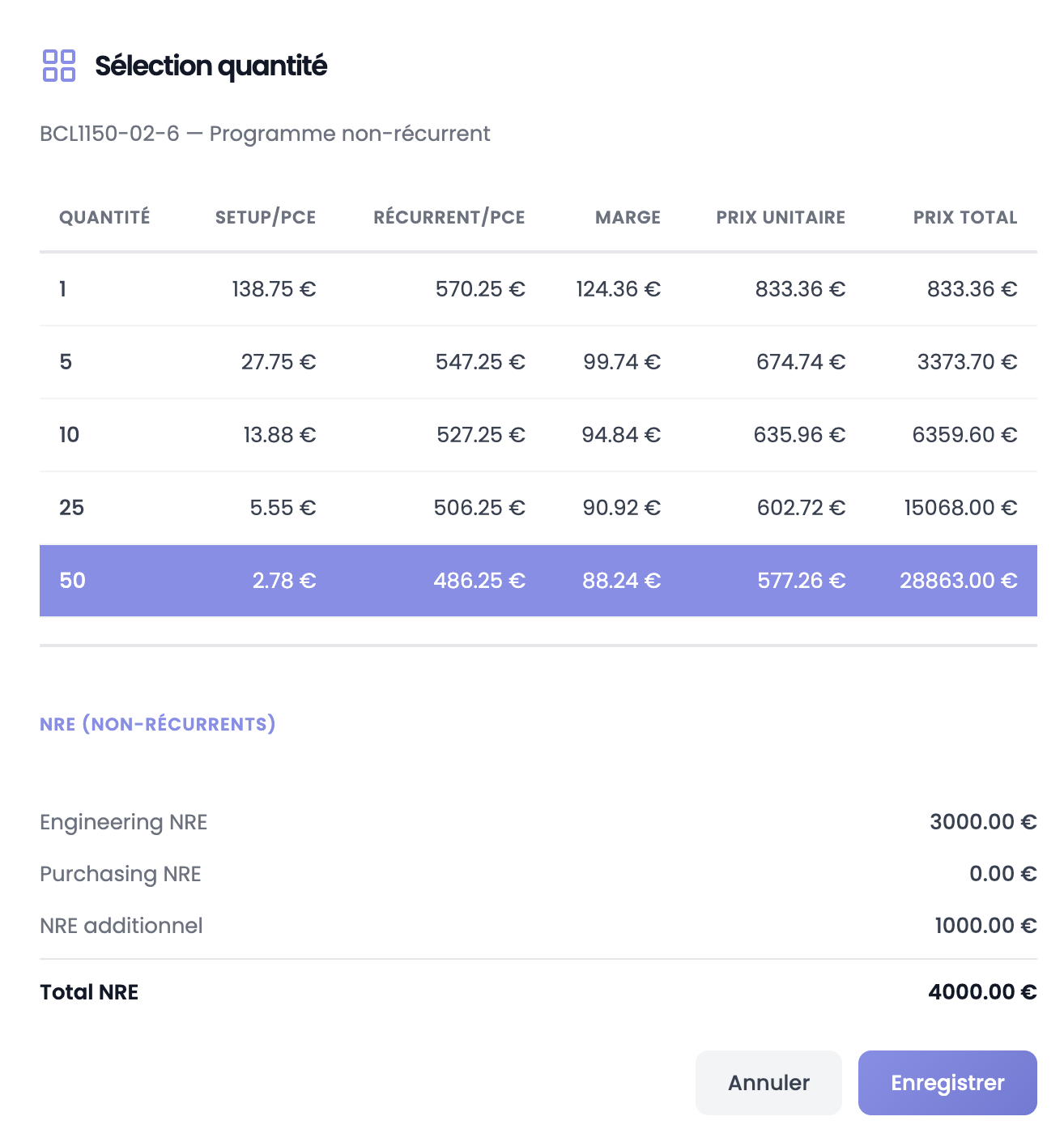
The table shows for each tier: quantity, setup per part, recurring cost per part, margin, unit price and total price. NRE are also summarized below.
Select the desired tier (highlighted in purple) then click Save. This selected quantity will be used for all revenue and workload projections.
Comparison in the offer
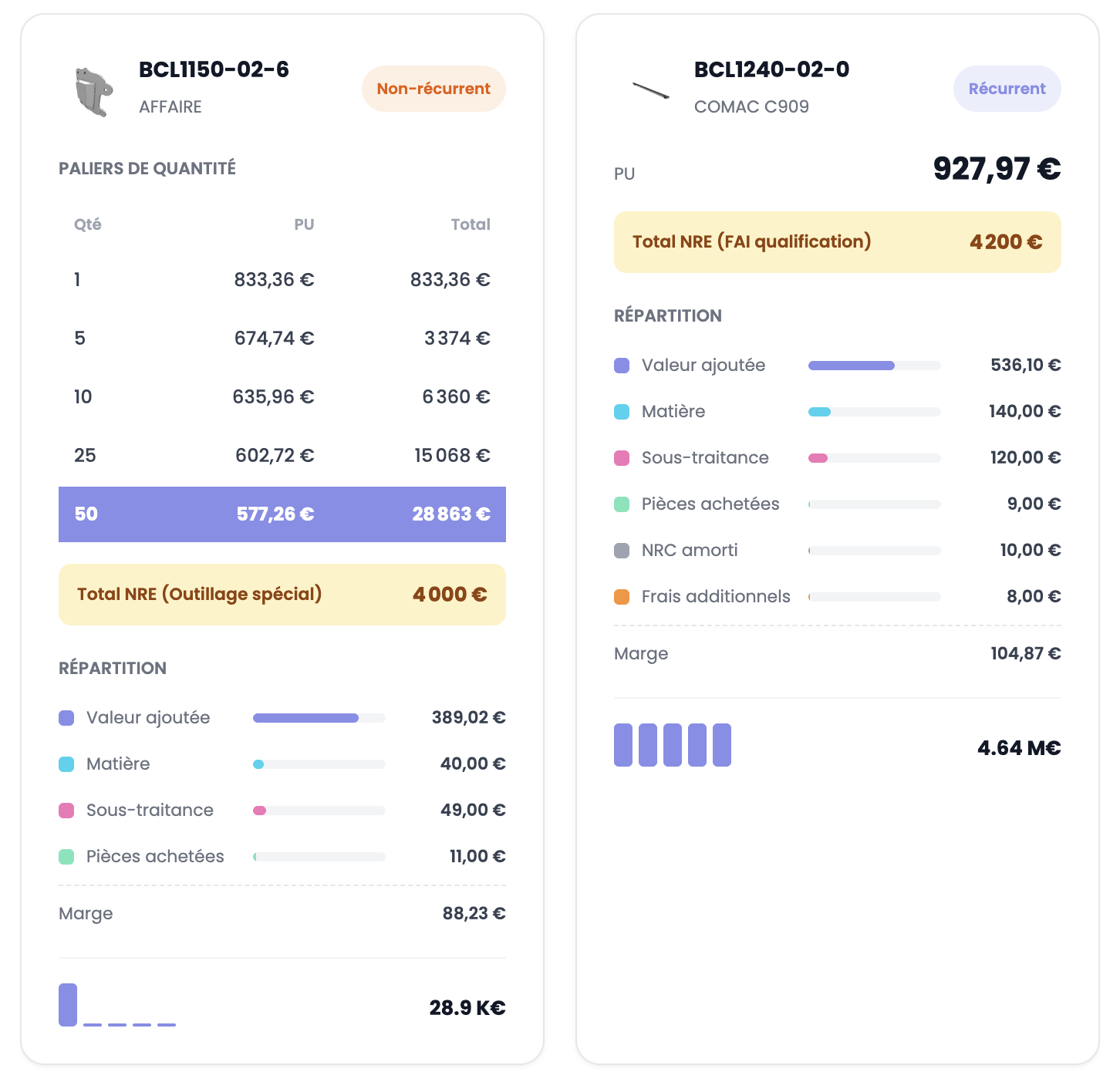
| Non-recurring | Recurring | |
|---|---|---|
| Quantities | Tiers (1/5/10/25/50) | Per year (2026, 2027, ...) |
| Price | PU per tier | Single PU |
| NRE | Total NRE | Total NRE |
| Cost breakdown | Yes | Yes |
| Revenue projection | Yes — based on selected quantity | Yes — annual revenue over contract duration |
| Workload projection | Yes — based on selected quantity | Yes |
Create or edit a program
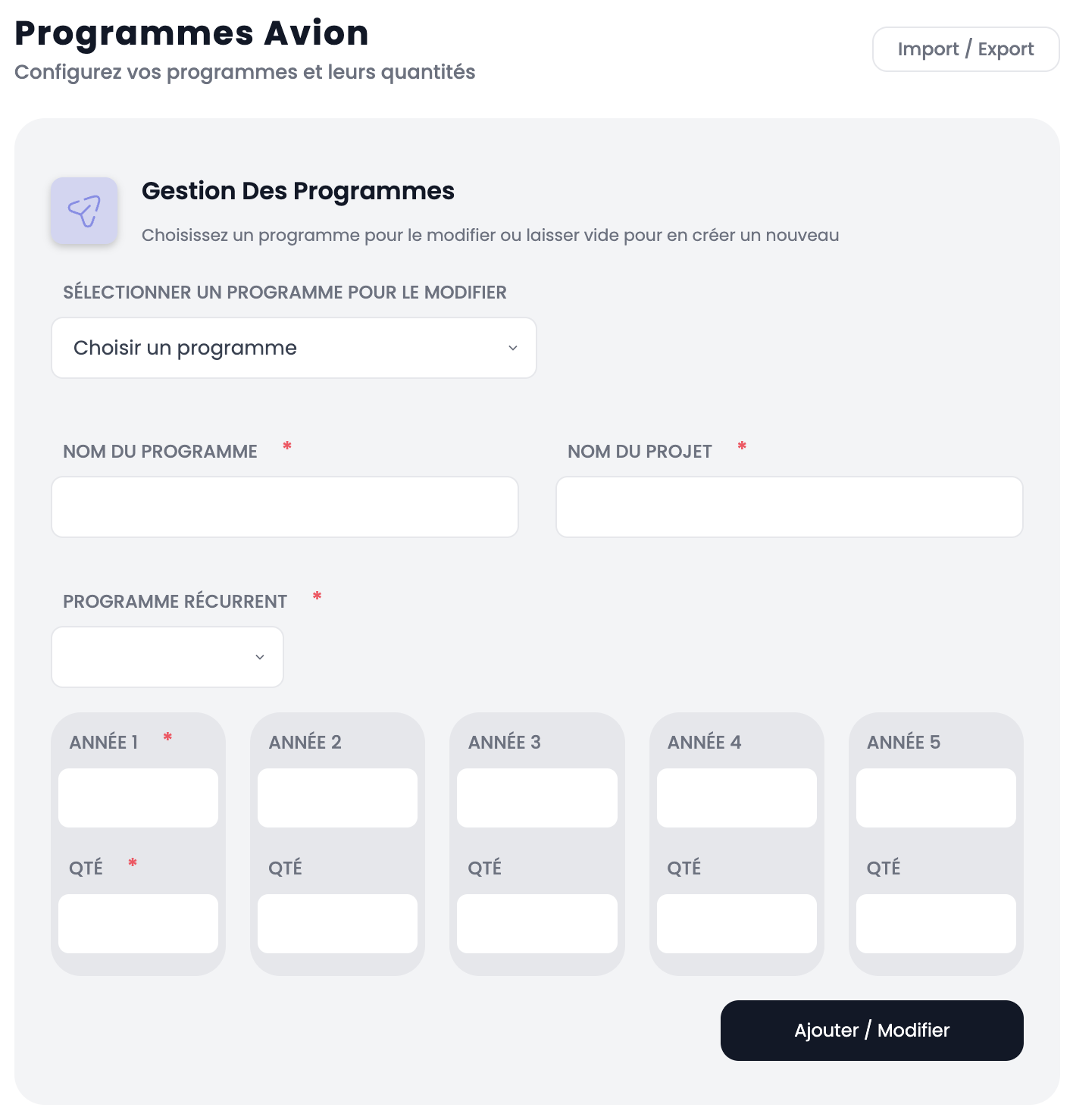
To edit an existing program, select it from the dropdown at the top. To create a new one, leave the field empty.
Fill in the following fields:
| Field | Description |
|---|---|
| Program name | Program name (e.g. AIRBUS A320, AFFAIRE) |
| Project name | Sub-category (e.g. Full cadence, 1/5/10/25/50) |
| Recurring program | Yes or No |
| Year 1 to 5 | Contract years (recurring only) |
| Qty 1 to 5 | Quantities per year or quantity tiers |
Click Add / Edit to save.
Import / Export Excel
Click the Import / Export button at the top right to manage your programs in bulk via an Excel file.
Warning
Never modify the Excel file structure: do not delete columns, rename headers or add empty rows. Any structural modification will make the import fail.